7 Features Every Asset Dashboard Should Have – See How Teqtivity Excels in Asset Management
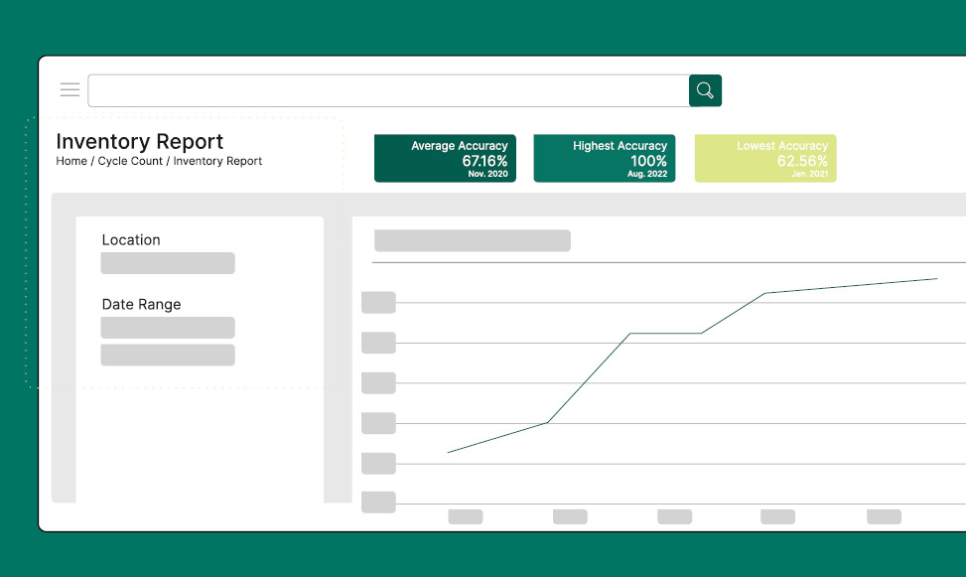
Today, efficient asset management is crucial for organizations aiming to optimize resources and maintain operational agility. An effective asset dashboard serves as a central hub, offering real-time insights into asset utilization, lifecycle stages, and compliance status.
In this article, we will talk about the 8 top features that every asset dashboard should possess, drawing insights from Teqtivity’s advanced platform to show how these functionalities can drive efficiency and informed decision-making in asset management. So, let’s get into it:
7 Must-Have Features of an Effective Asset Dashboard
An effective asset dashboard is all about setting up IT operations and IT asset management in one compact space. It not only centralizes critical data but also enhances visibility, compliance, and control across the asset lifecycle. Below are the key features of Teqtivity’s asset dashboard that make it truly impactful:
1. Centralized Visibility Across All Asset Categories
One of the most essential features of an effective asset dashboard is centralized visibility across all asset categories. Teqtivity’s intuitive sidebar allows users to seamlessly access features like IT Assets, ensuring a unified view of IT asset management. This consolidated structure not only improves navigation but also enhances lifecycle monitoring and compliance oversight.
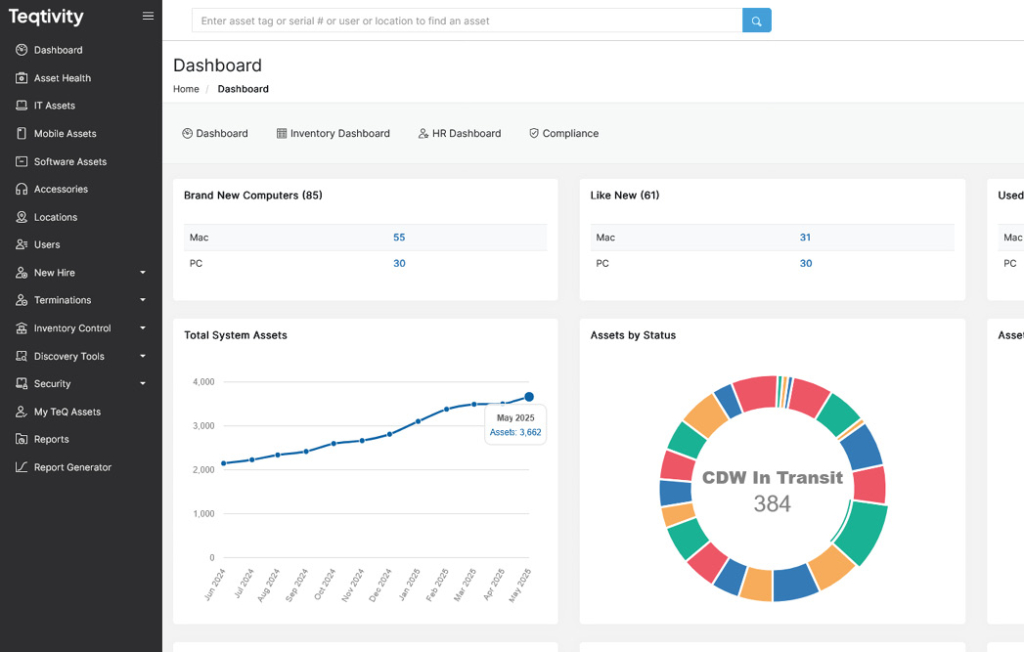
Having every asset type organized within a single platform eliminates silos and supports efficient asset tracking system-wide. As organizations scale, this level of integration becomes vital for optimizing resource allocation and maintaining complete control over the asset dashboard environment.
2. Inventory Control with Sub-Features for Real-Time Management
Teqtivity’s asset dashboard offers a powerful Inventory Control suite, allowing organizations to manage assets more dynamically. With reports and features such as ‘In Stock Computers’, ‘Available Stock’, ‘Consumption Report’, ‘Users to Asset Ratio’, ‘Fleet Age’, and ‘Cycle Count’, users can gain deep visibility into asset availability and movement.
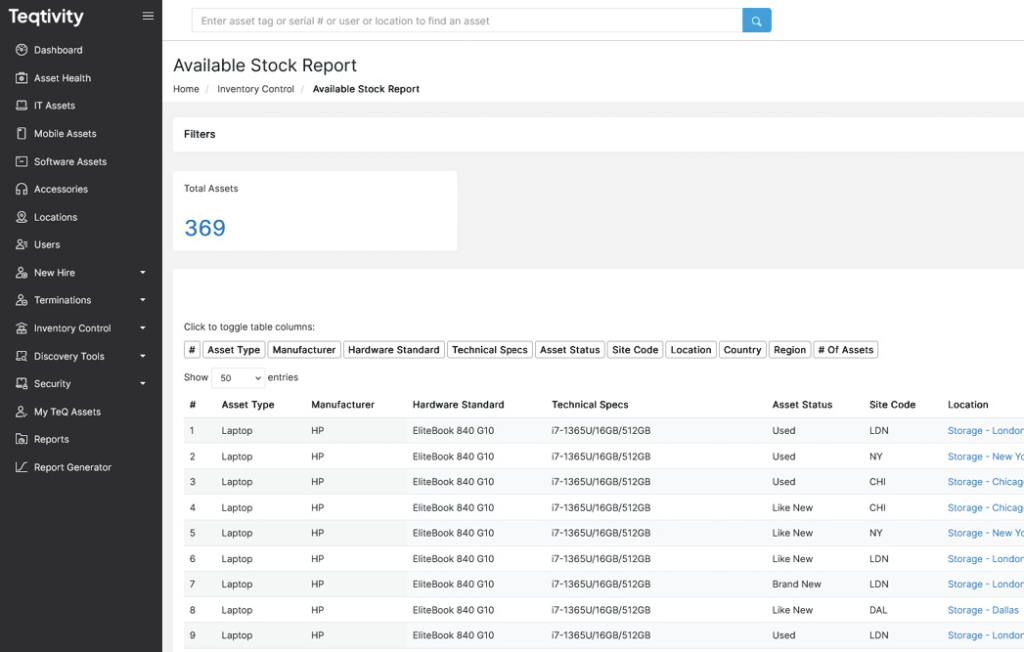
The Cycle Count function enables rolling audits that improve data accuracy without halting operations, helping avoid costly discrepancies. This real-time tracking, combined with customizable filters and CSV export functionality, empowers IT teams to maintain a precise IT asset management environment. Such layered inventory visibility is essential for effective lifecycle management, especially in large enterprises.
3. Seamless Integrations with Leading Endpoint Discovery Tools
A modern asset dashboard must support seamless integration with discovery tools to enable real-time data accuracy. Teqtivity excels in this area by offering integrations with platforms like Workspace ONE, Intune, Chrome Devices, Jamf, Kandji, and MobilIron, which are accessible through the Discovery Tools tab. These integrations help sync asset data across multiple endpoints, reducing manual entry and enhancing lifecycle visibility.
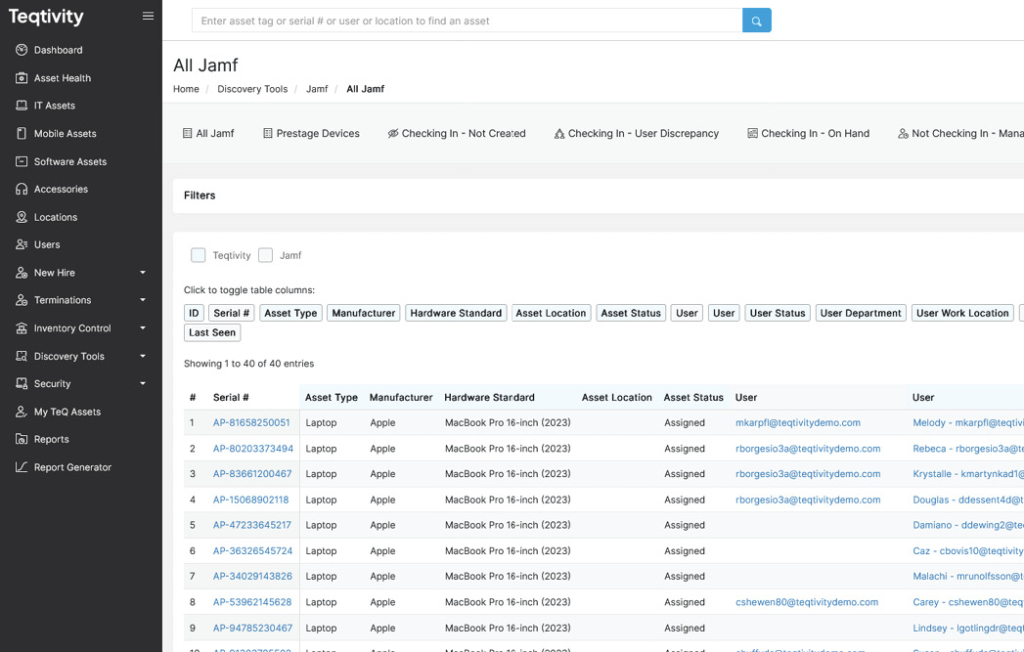
By centralizing hardware specs, user info, MAC addresses, and last-seen logs, the dashboard enables complete control over distributed IT environments. This connectivity is essential for organizations seeking reliable, automated IT asset management with minimal effort and maximum accuracy.
4. Comprehensive Reporting for Asset, User, and Finance Insights
A top-tier asset dashboard must support in-depth reporting, and Teqtivity delivers this through three structured categories such as Asset Reports, User Reports, and Finance Reports. Each category provides valuable sub-reports like Damaged Trends, Lost/Stolen Value, Assigned Devices, Depreciation Value, and Asset Recovery. These detailed analytics help IT and finance teams track lifecycle progress, optimize cost efficiency, and enable compliance.
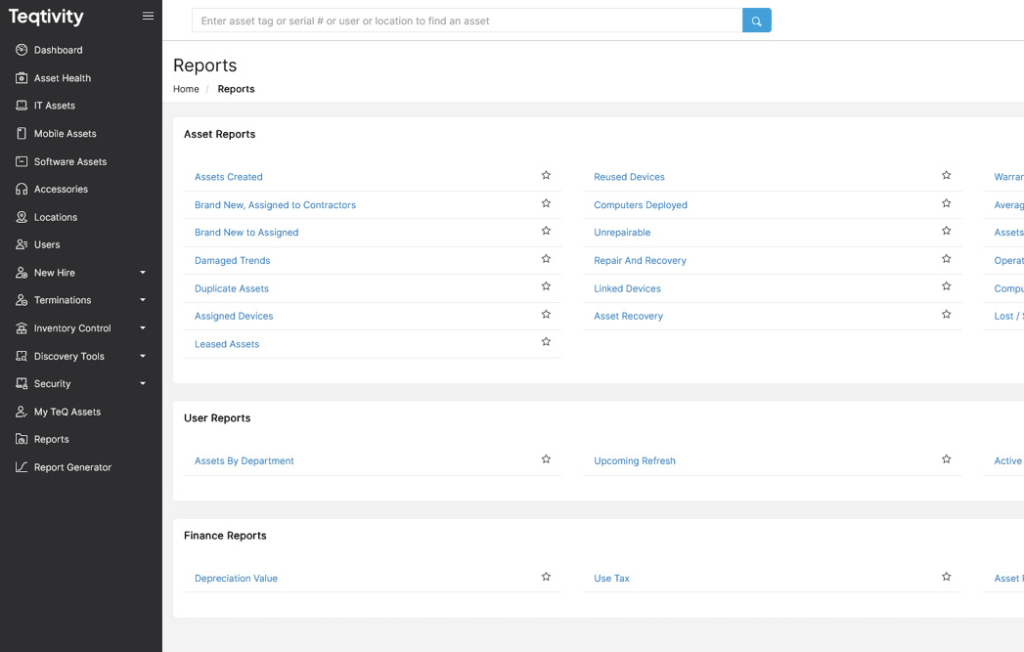
Reports such as Operating System Compliance and Warranty Expiration further support proactive risk management. Accessible via the Reports tab, these insights enable smarter IT asset management decisions and empower teams to address operational inefficiencies using real-time, segmented data views.
5. Automated Onboarding with New Hire Asset Allocation
Efficient onboarding is a critical function of any asset dashboard, and Teqtivity streamlines this with its New Hire feature. This feature enables IT teams to track new employees, allocate assets in advance, and sync shipment and ticket statuses, all from a single view.
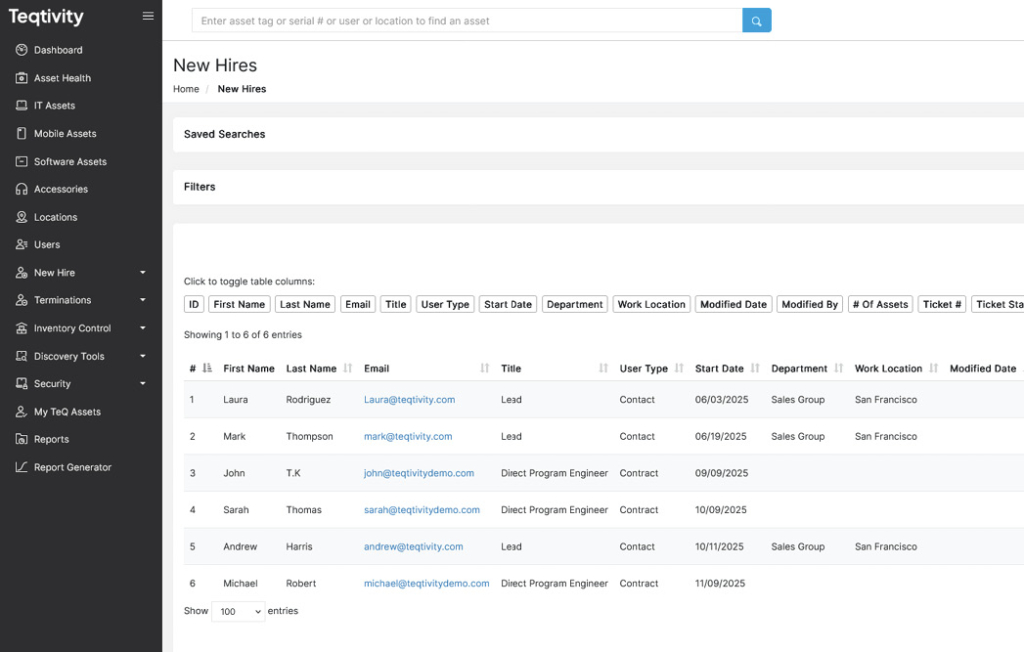
With filters for user type, department, work location, and asset count, teams can plan hardware deployment based on role-specific needs. Manual and automatic sync options enable updates to be reflected in real time. As shown in the screenshot, this feature bridges HR and IT workflows, supporting faster onboarding and better resource planning within IT asset management.
6. Centralizing Offboarding with Termination Asset Tracking
Teqtivity’s Terminations feature enhances IT asset management by ensuring seamless offboarding. With filters for termination date, legal hold, outstanding days, and assets uncollected, IT teams can instantly view which items need retrieval post-exit. Moreover, integrated sync options for shipment status and tracking allow real-time coordination with HR and logistics.
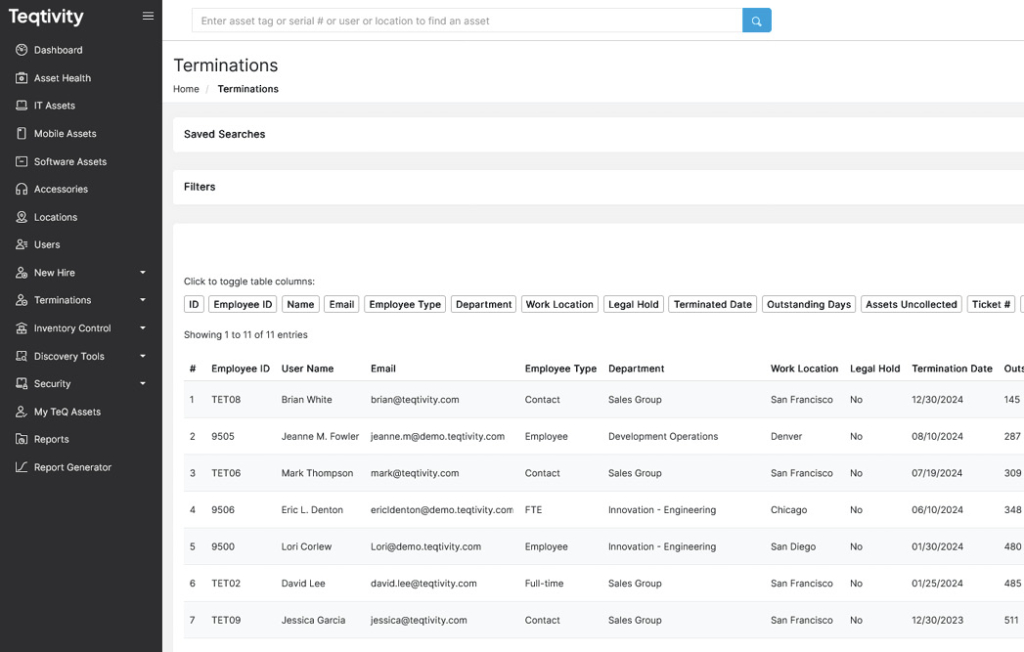
As you can see in the image above, detailed views of employee type, location, and unreturned equipment reduce loss risks and support policy compliance. This level of control makes the asset dashboard not only efficient during onboarding but also equally robust in managing exits and protecting company-owned devices.
7. Custom Report Generator for Granular Assets
Teqtivity’s Report Generator is a powerful feature that enables users to create custom reports using a variety of filters, including asset type, user, vendor, PO number, depreciation value, and lease or deployment dates. As shown in the image below, this flexible interface empowers teams to generate precise, scenario-based reports tailored to operational or compliance needs.
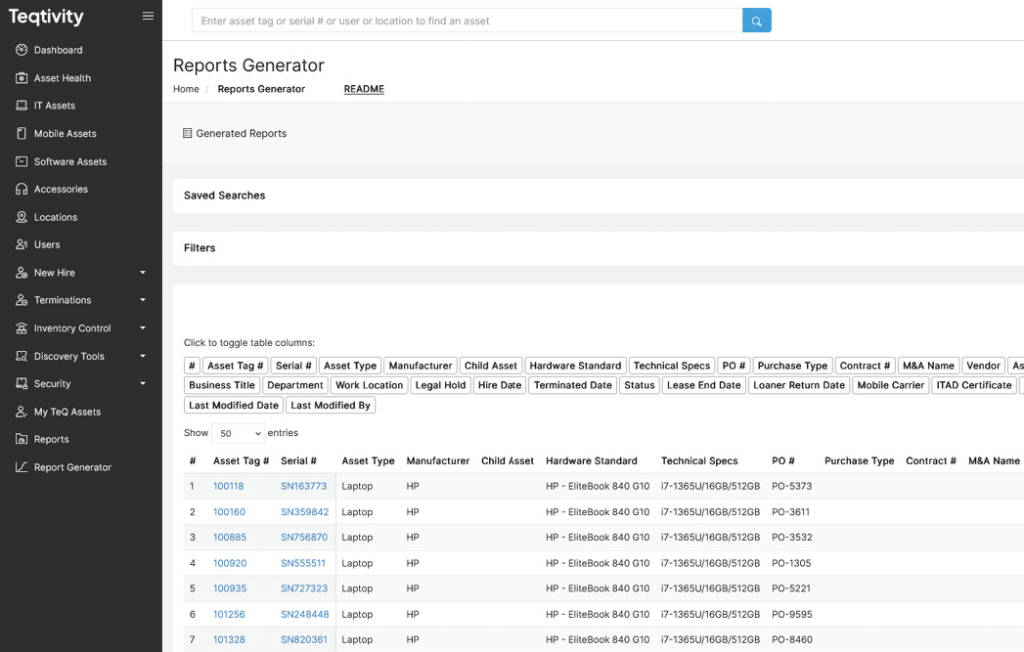
Users can also isolate inactive assets, filter by location or legal hold, and even verify data wipe certifications. This level of customizability enhances data transparency across the asset dashboard and enables stakeholders to always have access to real-time, decision-ready information tailored to their specific workflows.
FAQs
1. What is an Asset Dashboard, And Why is it Important?
An asset dashboard is a centralized interface that provides real-time visibility into all IT and physical assets within an organization. It’s important because it enables accurate tracking, lifecycle management, and compliance monitoring, all in one place.
2. How Does Teqtivity’s Asset Dashboard Improve IT Operations?
Teqtivity’s dashboard improves IT operations by integrating features like inventory control, user-based asset assignment, real-time reporting, and third-party tool integrations. These capabilities reduce manual tasks, prevent asset loss, and streamline onboarding and offboarding.
3. Can I Generate Custom Reports Using Teqtivity?
Yes, Teqtivity includes a powerful Report Generator that allows users to filter by over 30 fields, such as asset type, PO number, status, and legal hold. This enables customized insights for finance, IT, and compliance teams, enhancing the IT asset management strategy.
So, if you want an immersive assets dashboard with unlimited features in one space, contact Teqtivity and request a free demo!
Key Takeaways
Before you leave, read the key takeaways of the article:
- A modern asset dashboard should centralize data, support real-time tracking, and integrate with IT systems to streamline asset lifecycle management.
- Teqtivity offers powerful features, including Inventory Control, New Hire/Termination features, and custom reporting that improve operational efficiency and compliance.
- Integrations with tools like Workspace ONE and Intune enable seamless endpoint visibility.
- Features like the Report Generator and comprehensive dashboards empower teams with actionable insights for smarter, faster decision-making.