How to Choose the Right Enterprise Asset Management Software?

The decision to choose the right enterprise asset management (EAM) software is more than just a tech matter. It’s a strategic move that shapes the efficiency of an organization. Today, enterprises rely more on complex IT assets than ever. As a result, a good EAM is essential for modern IT environments, enabling teams to monitor, maintain, and optimize every hardware device and warranty across its lifecycle.
But the real question is: how do you choose the right enterprise asset management software? There are a few key factors to consider. So, let’s discuss them one by one:
Core Features to Look For in Enterprise Asset Management Software
The market is flooded with various enterprise asset management solutions. However, it is important to pick the right one. Otherwise, you might face bottlenecks, budget drains, and operational inefficiencies that would negate the purpose of an EAM.
Below are the key features to look for in enterprise asset management software:
| Feature | Why Is It Important |
| Full Asset Lifecycle Tracking | Tracks assets from procurement to deployment for predictive alerts. |
| Inventory Management & Real-Time Visibility | Centralizes all inventory data, providing live updates on asset location, status, and health. |
| Reporting & Analytics, & Customizable Dashboards | Delivers customizable dashboards and key analytics about assets’ health, usage, and location. |
| Security, Compliance & Audit Trails | Embeds access controls, security protocols, role-based permissions, and detailed audit logs. |
| Integration with IT Platforms | Seamlessly connects with IT tools such as Okta, Jira, and MDMs to synchronize data. |
| Customizable Workflows | Allows organizations to customize asset management processes for approvals, notifications, and lifecycle events. |
The table above details the key features and their importance. Now, let’s discuss each one in detail:
- Full Asset Lifecycle Tracking
Modern asset management solutions should enable tracking of the complete lifecycle of your asset, from procurement and deployment through to maintenance and disposal. This ensures that no assets go missing, get stolen, or are left unmanaged throughout their lifespans.
Furthermore, asset lifecycle management integrates procurement processes to guarantee that every asset is entered into inventory. It makes your devices more traceable and keeps inventory accurate.
However, the biggest benefit of full asset lifecycle tracking is scheduled maintenance. Since you can track the health and condition of every device, you can set replacement and maintenance alerts. It allows organizations to take proactive steps to ensure optimal asset health. Additionally, it extends the overall lifespan of devices, ultimately providing the maximum ROI on every asset.
- Inventory Management & Real-time Visibility
Real-time visibility into your inventory is essential. Because manual, traditional inventory management and outdated spreadsheets are inefficient for enterprises. An effective EAM like Teqtivity provides real-time data on asset status, location, and health, so you can always track your devices.
That is why 73% of organizations are expected to transition their entire infrastructure to cloud-based platforms by the end of this year, aiming for increased visibility and accessibility.
Remember, real-time data visibility and notifications can completely change inventory management. These tools automatically flag unauthorized changes, such as a missing laptop, to prevent theft and misplaced devices.
Usually, remote and hybrid work environments struggle the most with inventory management. Fortunately, a real-time inventory management tool like Teqtivity can use network scans and agent-based tracking to monitor all physical assets without workflow disruptions.
- Centralized Data & Maintenance Management
Centralized data keeps everything in one place, so IT teams don’t have to spend hours on multiple spreadsheets. Also, centralization unifies all maintenance activities within a single dashboard by tying together work orders, repair schedules, assignments, and completion tracking.
Centralized data also avoids IT silos, which can scatter data and impact its integrity. EAM tools that offer centralization can generate automatic work orders on preventive schedules, incident reports, and repairs/replacements. The best part? All the maintenance history is also preserved within the tool to make well-informed procurement decisions.
- Reporting, Analytics, & Customizable Dashboards
Data-driven decisions are important, and they rely heavily on reporting and key analytics. Therefore, an asset management solution must provide customizable dashboards with actionable information to deliver all the important insights.
Below are the important factors to consider:
- Data visualization for asset usage, maintenance costs, and failure patterns.
- Custom KPIs that focus on all important asset performance metrics, including location and risk category.
- Advanced analytics to reveal trends and anomalies that support smarter maintenance strategies.
- Automated reporting and documentation to simplify compliance.
- Security, Compliance & Audit Trails
A modern EAM, such as Teqtivity, provides security measures, compliance benefits, and peace of mind to organizations with its permanent audit trails. Let’s break down these areas one by one:
- Security: Over 30,000 security vulnerabilities were identified just last year. Thus, an EAM with security measures such as detailed audit trails, data backup, and integration with MDM solutions is crucial for protecting an organization’s asset records and ensuring compliance.
- Audit: Always prioritize an EAM that captures detailed audit trails. This way, you can track and document every asset deployment, update, movement, and retirement to create a detailed history for external and internal audits.
- Compliance: A reliable EAM provides built-in compliance tools to support regulatory requirements, such as data privacy laws and best practices for hardware disposal. This way, you can ensure regulations like GDPR, HIPAA, ISO, and SOX.
- Customizable Workflow Automation Tools
Workflow flexibility has become a critical consideration in selecting any enterprise asset management software. It is therefore essential to choose a solution with features such as:
- Customized Process Management: Supports the creation and adaptation of asset lifecycle workflows, such as approval chains, maintenance scheduling, and retirement procedures, to match your organization’s specific needs.
- Integration with Business Platforms: Enables seamless connections with tools like ITSM, HR systems, and ticketing platforms so that tasks, notifications, and data sync smoothly between different business functions.
- Audit-Ready Workflow Documentation: Offers detailed records of every process step—from assignment to decommissioning—making audits, compliance verification, and process reviews simple and transparent.
Lack of workflow flexibility leads to operational bottlenecks, compliance gaps, and increased risks of manual error. That’s why advanced workflow automation tools are a core component of modern EAM solutions. They empower enterprises to optimize operations, enhance compliance, and respond quickly to changing business requirements.
- Integrations for a Unified Ecosystem
One of the most overlooked buying considerations is integration. Let’s say you choose an EAM that doesn’t connect to existing systems. In that case, you will face inventory inaccuracies, compromised data integrity, and inconsistency across all platforms. Moreover, the lack of integrations leads to data fragmentation, which causes IT teams to spend more time and effort on asset reconciliation.
An ITAM tool like Teqtivity can eliminate this problem with its integrations. You can connect it to your procurement tools, HR systems, vendor management solutions, and mobile device management systems. Even better, Teqtivity allows integrations with APIs and webhooks to create a streamlined workflow and unified data.
Unique Needs for IT and Hardware Asset Management
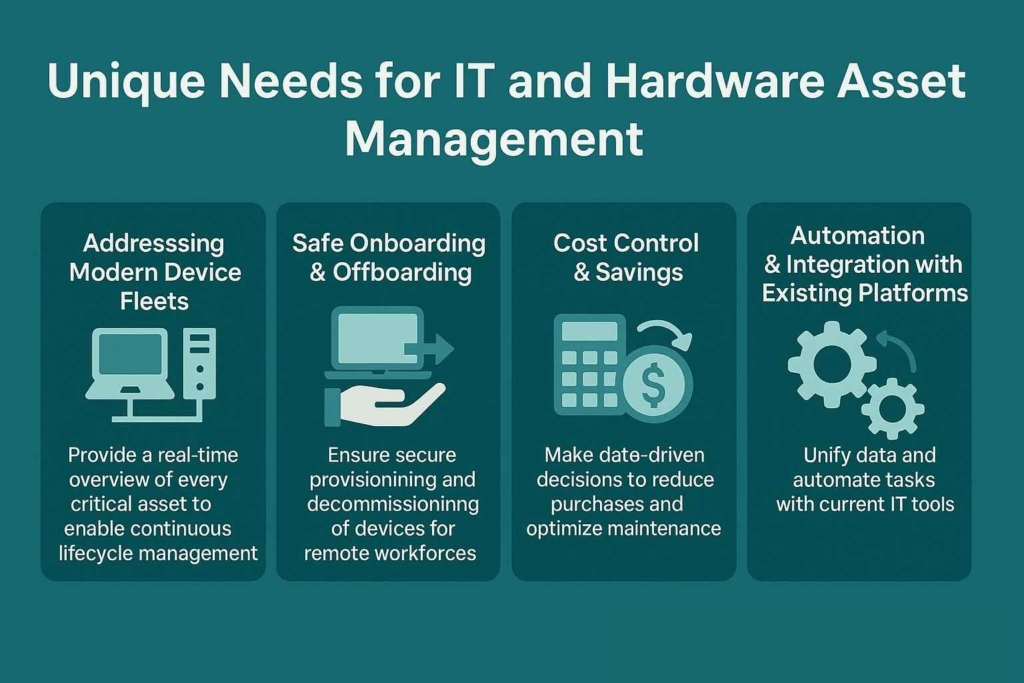
Today, enterprises manage hundreds and thousands of devices ranging from laptops and smartphones to servers and specialized systems. That demands a smart EAM to monitor all the physical assets and warranties at all times.
These are the unique challenges of IT and hardware asset management in enterprises:
- Addressing Modern Device Fleets
IT teams are now responsible for managing large, versatile inventories in enterprises. Manually, this task can take hours and still result in many human errors, which can lead to inaccurate records. However, asset management solutions are designed specifically to handle this task.
These solutions provide a continuous, real-time overview of every critical asset to enable organizations to track, update, and manage the asset lifecycle continuously.
- Safe Onboarding & Offboarding
Onboarding and offboarding are quite challenging in remote and hybrid workforces. Employees are spread across various locations, which can lead to device theft and misplacement. An effective EAM ensures that every device is quickly provided to new recruits and decommissioned without security risks during staff transitions.
- Cost Control & Savings
You can cut costs without compromising operational standards with modern enterprise asset management software. It enables teams to make data-driven decisions with real-time, detailed analytics.
This way, organizations can forecast future needs, schedule preventive maintenance, and identify underused assets. All of these factors help you reduce unnecessary purchases and optimize maintenance costs.
Furthermore, proactive maintenance has proven to reduce unplanned downtime by 30-50%, which is a huge plus point in making operations more efficient.
- Automation & Integration with Existing Platforms
Integration between enterprise asset management software and existing IT tools is essential. It unifies data across all platforms and maintains accurate inventory records, which can help you significantly in audits and compliance.
In addition, automation makes asset management easy. It automates all repetitive tasks, such as maintenance scheduling, asset updates, and work order generation, across all platforms without requiring manual input. This ensures minimal time is spent on these activities and eliminates human errors.
Questions to Ask Vendors about Enterprise Asset Management Software
Making the right choice can often be tricky when choosing enterprise asset management software. So, here are the questions to ask vendors:
- Can it scale with my business as digital transformation accelerates?
Scalability is a non-negotiable factor. Today, enterprises are expanding their digital ecosystems and physical assets, so the right EAM should grow with the organization and adapt to their increasing needs. Therefore, ask vendors how their system handles increased device counts, various types of critical assets, and remote/hybrid work environments.
- Does It Support User or Asset-Based Pricing?
A pricing model can help you determine whether the EAM will fit within your budget or not. Ask the vendor if the system supports user-based or asset-based pricing. A solution that supports both gets more plus points. Regardless, the right pricing model offers flexibility as your user base and device count increase.
- Does It Integrate With Our Existing IT Tools?
Integrations are a MUST-have for a streamlined workflow. Tools like Teqtivity connect easily with enterprise-essential platforms such as Jira, Jamf, Okta, and MDM solutions to create a seamless data flow and unified asset lifecycle management.
- What Security Standards and Controls Are in Place?
Always inspect the security posture of an EAM. Request information on security certifications, and ask about the protocols for access, user authentication, security controls, and audit trails. Remember, an EAM must follow data protection regulations to maintain compliance and ensure asset performance amid today’s cybersecurity risks.
- What is the Learning Curve for Everyday Users?
It is highly recommended to choose an EAM solution with a simpler learning curve. It allows IT teams to quickly adopt without spending hours trying to understand the system. Also, ask the vendor about training programs, educational material, and customer support, so you can always get in touch with them if you face an issue.
Best Implementation Practices for Enterprise Asset Management Software
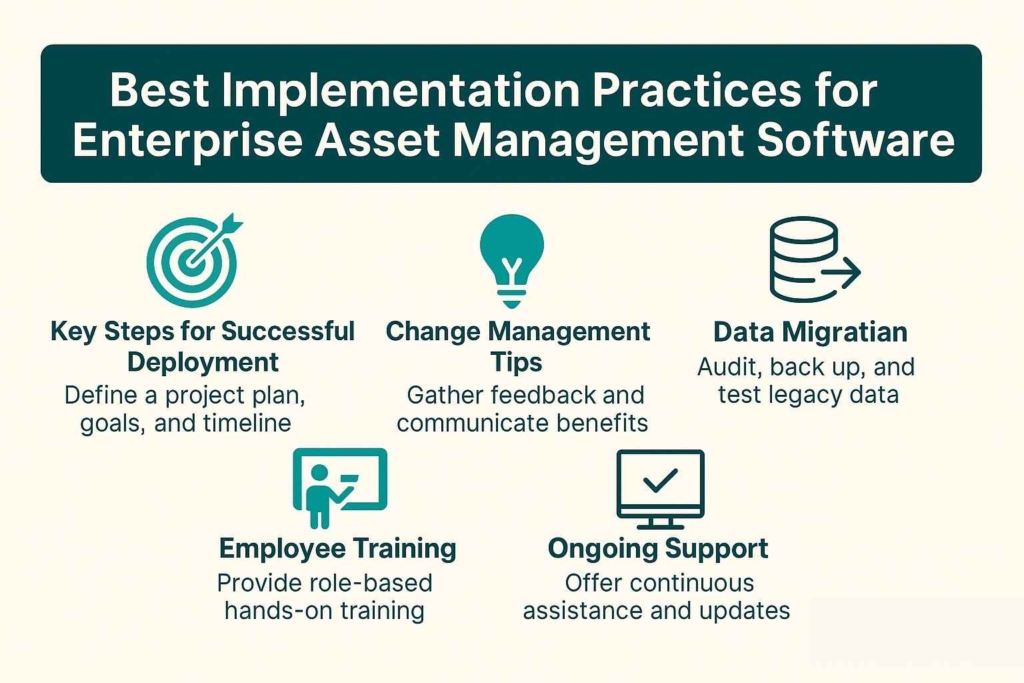
Have you found the right enterprise asset management software? Follow these implementation best practices to avoid errors and ensure a seamless, quick adoption:
- Key Steps for Successful Deployment
The first step is to start with clear project plans, goals, and a timeline. For that, you can assign a project manager who regularly communicates progress. The rollout process can be time-consuming and difficult. As such, you can break it down into milestones and start with select departments before rolling out an enterprise-wide launch.
- Change Management Tips
Remember, an EAM deployment is a major change in the organization. Therefore, it is essential to gather feedback frequently, communicate the benefits, and recognize teams for their adoption rewards.
- Data Migration
Audit your data before moving to the new EAM system. Make sure to back up all legacy data and test with a small dataset first to see how it works. Then, you can map data fields and create plans for post-migration. As with deployment, start data migration pilots in select departments.
- Employee Training
Next, create role-based training modules to offer hands-on practice environments. It is crucial to train your employees so they can efficiently switch to the new EAM system. For that, you can conduct a mix of live sessions, recorded videos, and distribute the educational content provided by the vendor.
- Ongoing Support
An EAM deployment isn’t a one-time event. If you want it to be successful, consider providing ongoing support. Here are some tips to do that:
- Collect user feedback for continuous improvement.
- Update training materials.
- Partner with the vendor to receive updates and resolve troubleshooting issues.
- Schedule regular system reviews.
- Use analytics to monitor adoption and performance.
In conclusion, if you want the best enterprise asset management software for your needs, then give Teqtivity a try. It offers centralized data inventory management, real-time visibility, integrations with existing systems, and essential security measures for compliance. Simply put, it checks all the boxes of a good EAM solution. Request a demo now and see how it works.
Key Takeaways
Before leaving, read the key takeaways from the article:
- Centralization, real-time visibility, and integration are the most important features to consider in an EAM. Otherwise, you might end up with inventory inaccuracies, data silos, and operational inefficiencies.
- Consider choosing an EAM solution that prioritizes both data security and sustainability compliance. It can keep your data safe and operations sustainable—all while protecting you from legal penalties and reputational harm.
- Always assess the unique IT and hardware needs of your enterprise. This can help you find the best solution that solves your specific problems within your limited budget.
- Ask your vendor the right questions about the EAM’s compliance, learning curve, security standards, integrations, pricing model and scalability for upfront transparency.
- Provide training and ongoing support to employees during your new EAM rollout. This will ensure efficient and seamless adoption and optimal system performance.