Top Tools for Enterprise Technology Asset Management in a Remote Work Environment

Today, managing company devices, assets, and digital tools is more challenging than ever due to the prevalence of remote and hybrid working environments. Teams are spread across cities, countries, and time zones. Yet, companies need seamless collaboration and uninterrupted productivity to sustain or scale their operations. However, that’s simply impossible with laptops, smartphones, and important assets going missing.
That is why businesses need an enterprise technology asset management tool. It ensures that all your technological assets, which are the backbone of remote work, are always available, operational, and compliant. The good news is that many tools are now accessible to make asset management easier and more efficient.
But which is the best tool? This guide will provide the top 5 picks so you can choose the right option for your business.
Why Enterprise Technology Asset Management Matters for Remote Teams
Managing devices and warranties becomes even more complex when teams are spread across cities or continents. Remote workers often use a strong asset inventory consisting of multiple laptops, mobile devices, networking equipment, and peripherals. However, the problem is the lack of physical oversight. Therefore, it’s nearly impossible to know what’s deployed, where it is, how it is being used, and who is using it. That’s where enterprise technology asset management steps in.
Challenges of Managing Distributed Devices
Firstly, hardware losses and performance issues skyrocket when oversight is weak. Then there’s audit trails. You need logs showing asset user assignment, health, and warranty coverage for compliance. A remote working model can make this more complex due to the lack of a centralized environment.
A study by Electro IQ found that 16% of remote workers struggle with collaboration and communication. Also, support for distributed teams has to deal with local regulations, multiple configurations, and a combination of on-premises and cloud deployments. That means maintaining an asset management process that can track and manage devices, assign responsibilities, and centralize much of the oversight.
How Modern ITAM and HAM Solutions Help Remote Teams
Modern asset management tools provide advanced features, such as full lifecycle management from procurement and deployment to maintenance and retirement. They help prevent unnoticed hardware losses, track device usage, and flag when an asset is missing or inoperational. In addition, these tools ensure compliance with regulatory frameworks, including vendor contracts, local regulations, and data privacy laws. These functions further minimize the risks often associated with distributed teams.
Asset lifecycle management is one of the most useful features in HAM and ITAM solutions. When remote hardware approaches end-of-life or when warranties are about to expire, these asset management tools trigger reminders. This way, organizations can prevent surprises during audits.
Modern tools like Teqtivity offer efficient hardware asset management to save money, reduce risk, improve reliability, and centralize support collaboration for better outcomes with minimal surprises.
Top Tools to Consider For Your Enterprise Technology Asset Management
Looking for the right tool for enterprise technology asset management? Well, there are a few important features to consider, especially in remote or hybrid work models. These organizations need solutions that do more than just track hardware.
Here are the top 5 tools you need to consider as your HAM/ITAM solution:
- Teqtivity
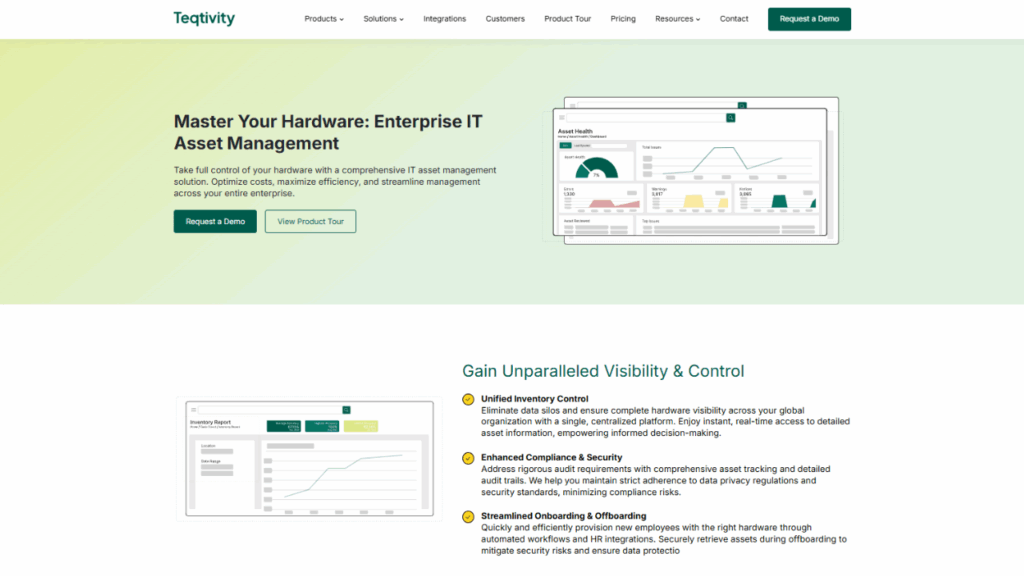
Teqtivity is a centralized, cloud-based asset management system. It combines hardware asset management (HAM) and IT asset management (ITAM) features with real-time asset inventory, automation, and smooth onboarding/offboarding.
Furthermore, Teqtivity is especially strong at integrations with other tools, like MDMs, HR systems, and help desks. It offers status tracking from procurement through disposal—simplifying the complete asset lifecycle management process.
Teqtivity provides clear asset data and effective inventory management across distributed locations. It automates workflows to help reduce risks and manual workload, ensuring all assets are always updated. Moreover, it offers audit-ready documentation and detailed reporting to ensure compliance with internal and external regulations.
Pros
- Has user-based pricing, which is ideal for scaling
- Integrations with Okta, Jira, Jamf, and other enterprise systems
- Stronger visibility and real-time control over assets
- Visual dashboards to easily convey important information
- Suitable for finance, education, construction, tech, and healthcare industries
Cons
- Organizations with highly unusual compliance might need more customization
- ServiceNow HAM Pro
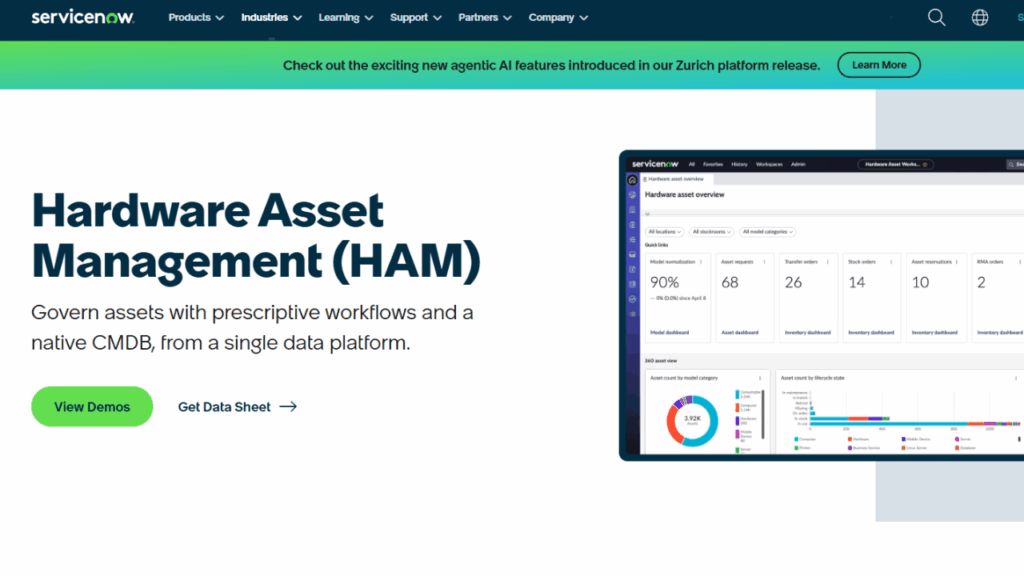
ServiceNow’s HAM Pro is part of their larger hardware asset management + software asset management suite. It automates the lifecycle of hardware, normalizes model data, and allows integration with ITSM tools. Furthermore, its automation takes care of various tasks, including remote device returns, shipping, approvals, and fulfillment workflows.
The primary goal of ServiceNow HAM Pro is to offer detailed visibility and governance over hardware assets. It also provides end-to-end visibility, including hardware status, warranties, vendor information, and end-of-life status. The tool features strong compliance capabilities, including audit trails, proper disposal, and loaner tracking.
Pros
- Suitable for large organizations with complex requirements
- Allows integration with CMDB and ITSM suite
- Creates a reliable vendor ecosystem
Cons
- Comparatively expensive, especially with add-ons such as normalization and advanced dashboards
- Freshservice
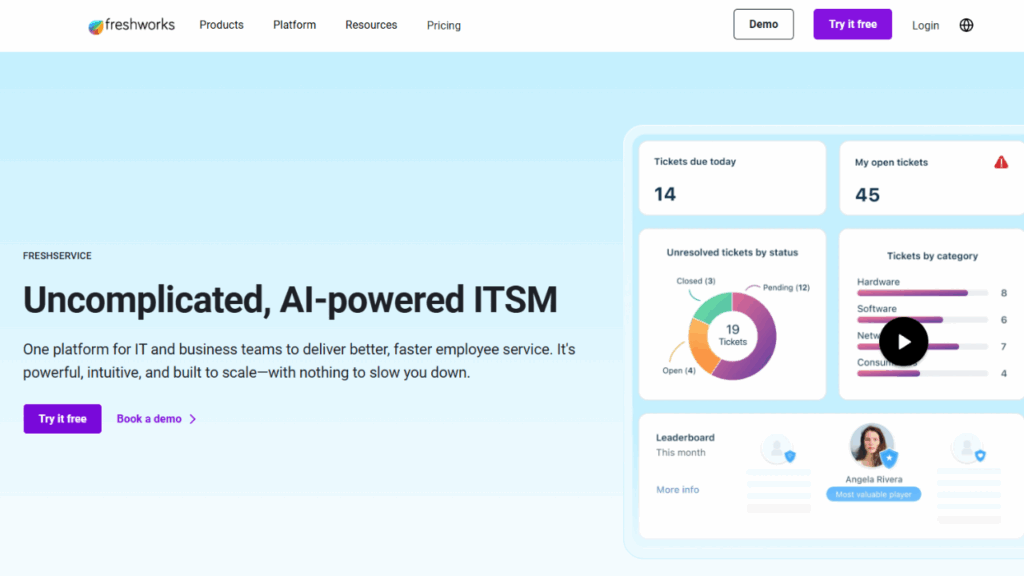
Freshservice offers ITSM with an ITAM module. It supports asset discovery, dependency mapping, CMDB integration, service health monitoring, and automated workflows. In short, it is good for companies that need a unified ITSM and asset management solution.
What makes Freshservice even better for remote teams is its support. The software offers multiple tools to facilitate distributed users, such as self-service portals, embedded chat integrations, and virtual agents. These features can minimize delays for remote teams. Also, Freshservice’s agent-based and agentless discovery capabilities offer strong inventory control regardless of your location.
Pros
- Good balance between ITSM and ITAM
- Offers useful tools for remote teams
- Cost-efficient for enterprises
Cons
- Lacks some advanced compliance tools, which are critical for highly regulated industries
- AssetSonar
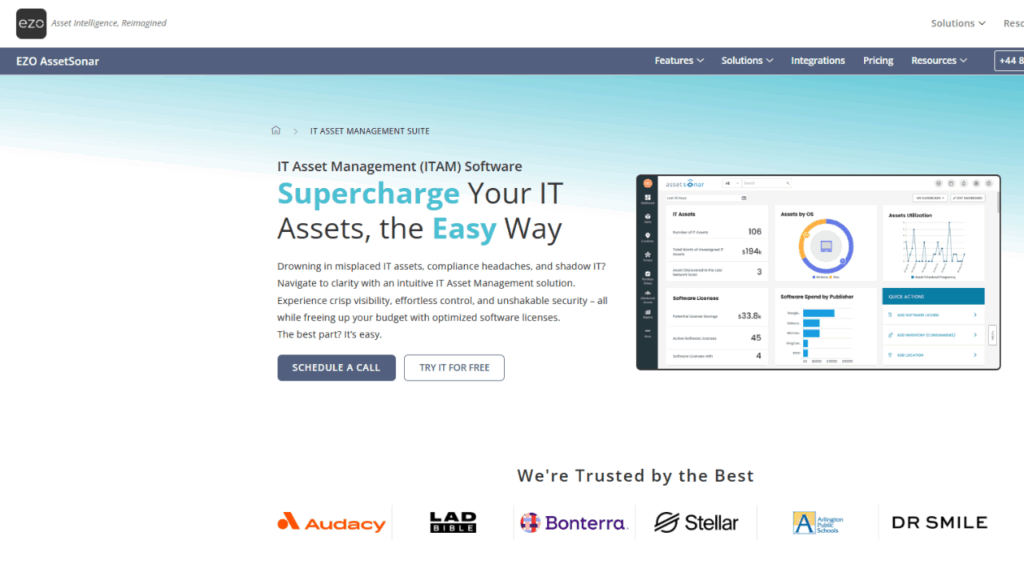
AssetSonar by ezo is another asset management tool that focuses on real-time tracking of hardware and software across multiple locations. The tool offers strong compliance features, such as asset usage tracking and entitlements, to avoid audit risks.
AssetSonar is generally considered an effective solution for moderate teams that don’t need many advanced features. It offers dashboards and lifecycle tracking tools for strong oversight of your asset inventory. Moreover, it focuses more on license compliance than many other asset management solutions.
Pros
- Provides strong visibility
- Easier and faster to set up for basic hardware/inventory tracking
Cons
- Not good for large-scale organizations
- Lacks depth in customized reporting
- ManageEngine AssetExplorer
ManageEngine AssetExplorer is an IT asset management (ITAM) platform designed to give organizations visibility and control over hardware assets. It supports full asset lifecycle management and provides advanced asset inventory features. AssetExplorer also supports usage tracking of all hardware and software assets in an organization, which is suitable for remote teams.
Additionally, AssetExplorer provides integrations with CMDB to manage configuration items and define relations between assets. It also features a mobile app that lets organizations remotely control with real-time reports, dashboards, and flash charts.
Pros
- Strong automation and customizable workflows
- Good reporting and dashboards to monitor asset usage and contracts
- Allows device tracking and emote troubleshooting
Cons
- Remote access add-ons cost extra
- Has some reported usability or filtering/sorting issues
Key Features of Enterprise Technology Asset Management for Remote Teams
Remote and hybrid work has become the norm. A study by the U.S. Bureau of Labor Statistics found that 46% employees from the four biggest industries are working remotely. Also, distributed teams rely heavily on technology assets to continue their key operations. That is why organizations need smart ways to maintain visibility, control, and compliance without slowing down productivity.
Here are some key features of enterprise technology asset management tools that remote teams should consider:
- Real-time Monitoring: One of the most important features of modern ITAM is real-time monitoring and control over your assets. A system that tracks and manages devices and applications across multiple geographical locations ensures that no asset is lost or goes missing.
- Asset Lifecycle Management: A modern enterprise asset management solution automates the full asset lifecycle tracking. It can monitor your assets throughout all phases, including procurement, deployment, maintenance, and retirement.
- Compliance & Reporting: One of the primary benefits of IT asset management is compliance. It provides detailed reporting, audit-ready documentation, and dashboards to ensure compliance to avoid non-compliance pitfalls.
- Integration Capabilities: Modern ITAM tools, such as Teqtivity, offer integrations with existing business solutions. So, you can connect your hardware asset management with mobile device management, help desk, ITAD, HRIS, and custom APIs.
Do you need a solution that has all these key features? Teqtivity has you covered. It offers all the options a remote team needs. Also, its centralized, cloud-based approach ensures that teams have access and visibility over their entire asset inventories. Ready to simplify control, cut costs, and keep your distributed teams connected? Book a demo and see how Teqtivity can help you.
FAQs About Enterprise Technology Asset Management
- How Do I Choose The Right IT Asset Management Tool?
To choose the right remote IT asset management tool, prioritize real-time monitoring and automation to ensure operational efficiency and control over your assets. Also, look for solutions that support full lifecycle management to track an asset’s health throughout its lifecycle. Integration is also a plus point to avoid data silos and ensure consistency across systems.
- What Integrations Are Critical For Remote Asset Management?
For remote asset management, integrations with mobile device management (MDM), help desk, HRIS, and ITAD systems are critical. These ensure unified data and smooth onboarding, eliminating data fragmentation. Moreover, these integrations centralize inventory management without data silos.
- How Can Automation Reduce Costs And Manual Overhead?
Automation in asset management (ITAM) can reduce manual overhead and costs by streamlining the asset management process, ranging from onboarding to retirement. It automates compliance checks and helps businesses avoid unnecessary purchases and human errors. This reduces manual overhead, improves efficiency, and enables organizations to save costs.
- What Compliance Risks Exist For Distributed Teams?
Remote teams face challenges with asset compliance and hardware warranties. The lack of centralized asset data makes it possible for organizations to risk overspending, cybersecurity threats, failed audits, and non-compliance pitfalls, including reputational harm, financial penalties, and operational disruptions.
Key Takeaways
Before leaving, read the key takeaways from the article:
- Effective enterprise technology asset management gives organizations real-time visibility into hardware and software. This helps remote teams avoid losses, improve efficiency, and maintain seamless global operations.
- Automating the asset management process reduces risks, avoids unnecessary costs, and ensures assets remain compliant, audit-ready, and properly managed throughout their full lifecycle.
- Integrations with MDM, HRIS, ITSM, and APIs connect asset data across systems. They enable informed decisions and provide better IT support for distributed employees worldwide.
- Compliance remains critical for remote teams. A centralized tool ensures compliance, maintains audit trails, and generates detailed reporting.
- Advanced features, such as automated lifecycle management like that of Teqtivity, enable companies to reduce overhead while maximizing the benefits of their IT assets.